iPhone photo cleaner · Free to try
Clear your camera roll
in minutes.
CleanRoll is an iPhone photo cleaner that finds duplicate photos, blurry shots, old screenshots, and large videos with on-device Smart Scans, then clears them with simple swipes. CleanRoll never uploads your photos or videos.
Download on App Store50 free reviews, auto-refilled · $7.99 one-time · No subscription
How it works
Scan. Review. Confirm.
Smart Scans, Duplicate Stacks, and swipe review — nothing is removed until you confirm.
-
Scan
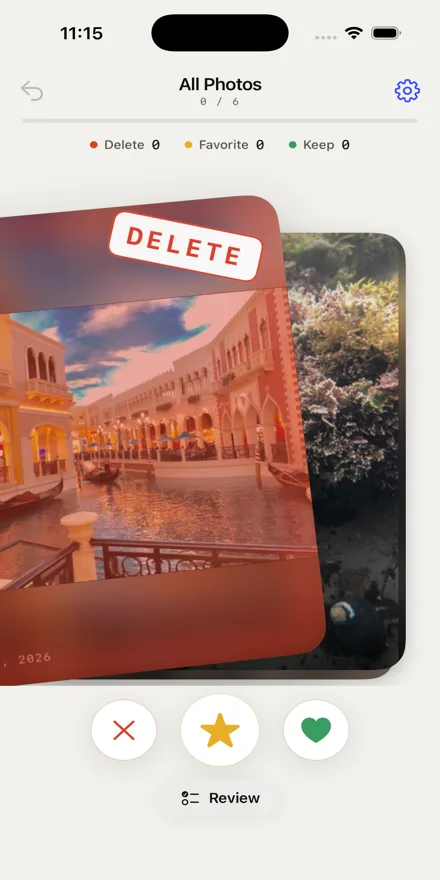
Smart Scans surface the photos and videos most likely to be clutter — near-duplicate and similar photos, blurry shots, old screenshots, and large videos.
-
Review
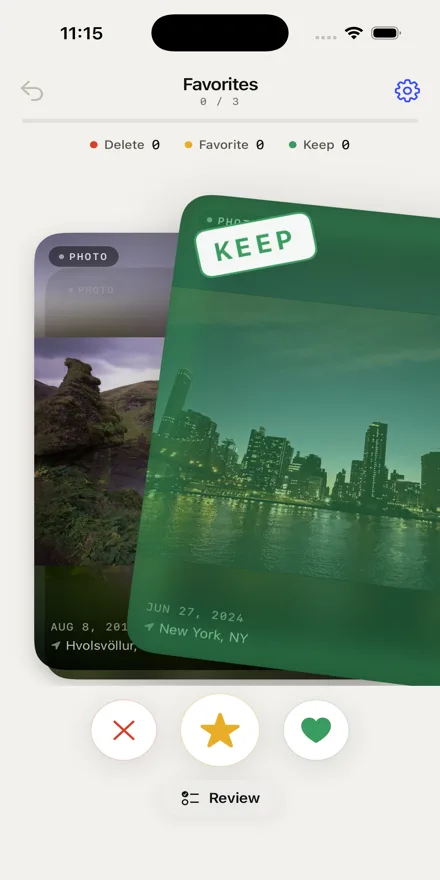
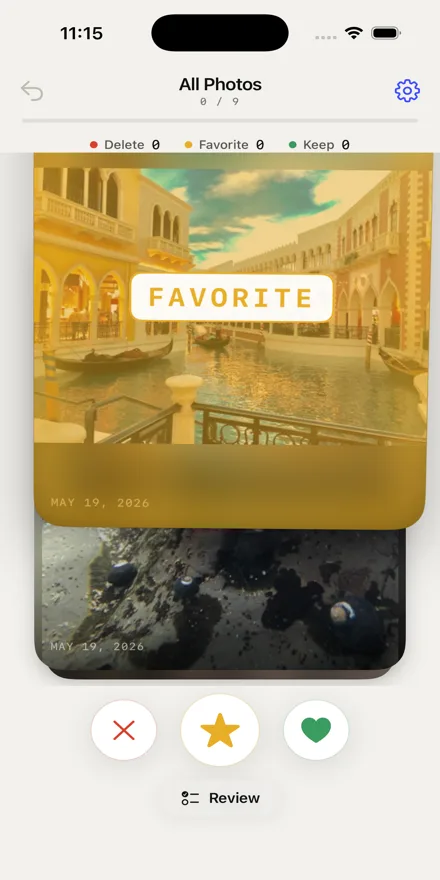
Compare duplicate stacks side by side, or swipe left to delete, right to keep, and up to favorite.
-
Confirm
Your choices are collected as you go — review every selection before anything is removed.
Cleanup features
Find the clutter for you.
Every scan runs on your iPhone. CleanRoll suggests — you decide what stays.
Smart Scans
Find likely clutter without reviewing the entire camera roll.
Duplicate Stacks
Compare similar shots side by side. CleanRoll suggests the sharpest one to keep — you choose, and can clear the rest together.
Blur Detection
Surface likely blurry photos using on-device analysis.
Large Videos
Find the videos taking up the most storage.
Screenshot Cleanup
Review old screenshots separately from personal photos.
Private by Design
All sorting, duplicate detection, and blur analysis happen locally on your iPhone.
Built for trust
Your photos stay yours.
Stays on your device
CleanRoll never uploads your photos or videos. Duplicate detection, similarity matching, and blur scoring run locally on your iPhone.
Nothing deleted without you
Swipes and stack selections accumulate silently. You review and confirm every deletion at the end — or cancel entirely.
Recoverable for 30 days
Deleted items go to iOS Recently Deleted, where they're normally recoverable for up to 30 days — or can be permanently removed through the Photos app.
Simple pricing model
Free to start. Unlimited forever.
Start with 50 free reviews. They refill after 24 hours of use, not when the date changes. Unlock unlimited once when you need more.
Free
$0/ forever
- 50 reviews, refilled after 24 hours of use
- No Account
- Core gestures included
Unlimited
$7.99one-time
- Unlimited reviews, no counter
- Uninterrupted cleanup flow
- Support independent development
Guides
How to clear an iPhone.
Plain answers to the camera roll problems people actually run into — no app required to follow them.
Delete duplicate and similar photos
Photos merges exact copies by itself. Bursts and near-identical shots are a different problem.
iPhone storage full
How to read the storage screen, why System Data is usually not the culprit, and what to clear first.
Delete screenshots
Find every screenshot in one album and clear years of receipts and directions in a few minutes.
Find and delete large videos
A few 4K clips can outweigh thousands of photos. How to sort by size and clear the biggest first.