Short answer: iPhone has two different problems, and only one of them is solved for you. Exact copies — the same file saved twice — are handled by Apple: open Photos, go to Collections → Utilities → Duplicates, and merge what it finds. Near-duplicates are not. A burst of eight shots of the same face, or two photos taken three seconds apart, are different files, so the Duplicates album ignores them, and they are usually the bulk of a full camera roll.
Clearing those means deciding which frame to keep, one group at a time. You can do it by hand in Recents, or use an app that groups similar shots into stacks and lets you confirm before anything is deleted. Either way the photos land in Recently Deleted for about 30 days, so a mistake is recoverable.
Why doesn't the Duplicates album catch similar photos?
Because it is built for identical files, not similar ones. Apple's Duplicates album matches photos that are the same image — a picture saved twice by a messaging app, an import that ran again. That is a safe, mechanical comparison, which is why Apple can offer to merge them for you.
Burst sequences and "just in case" retakes are genuinely different images. No algorithm can know which one you want to keep, so Photos leaves them alone.
| What it is | Handled by Photos? | Who decides |
|---|---|---|
| Exact copies of one file | Yes — Utilities → Duplicates | Automatic merge |
| Burst / near-identical shots | No | You pick the keeper |
| Old screenshots | No | You review |
| Large videos | No | You review |
How do I clear exact duplicates first?
- Open Photos.
- Go to Collections → Utilities → Duplicates (wording varies slightly by iOS version).
- Merge the exact copies if you trust Apple's match. Merging keeps the highest quality version and combines the metadata.
When that album is empty, Recents can still be full of near-duplicates, screenshots, and large videos. That is the part worth doing next.
How do I review near-duplicates without losing the good shot?
The safe pattern is the same whichever tool you use: look at the whole group side by side, choose the frame you want, and confirm the deletion yourself. In CleanRoll that looks like this:
- Install CleanRoll: Camera Roll Cleaner (iPhone, iOS 17.6 or later).
- Grant Photos access. The analysis runs on the device — CleanRoll never uploads your photos or videos.
- Open Near-duplicates. Each stack shows the shots taken within seconds of each other, with the sharpest frame suggested as the keeper.
- Change the keeper if you disagree, mark the rest, and confirm the batch. Nothing is removed until you do.
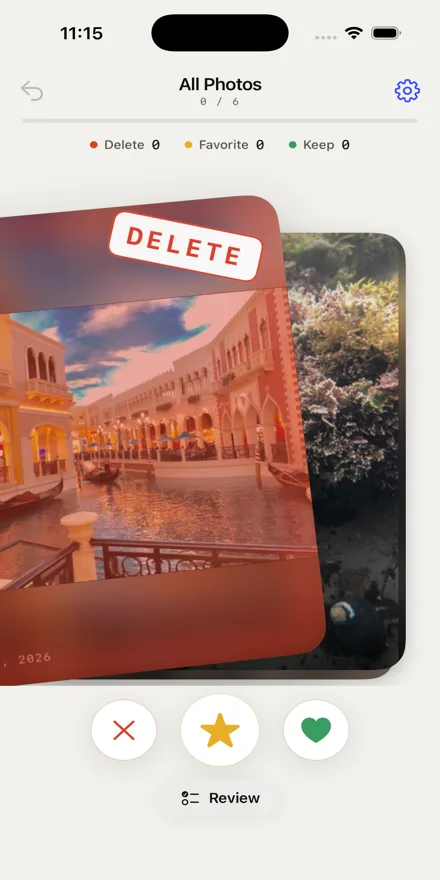
You get 50 free reviews every rolling day. Unlimited is a one-time $7.99 unlock — there is no subscription.
What else is actually taking up the space?
- Old screenshots — receipts, directions, and confirmations you screenshotted once and never opened again.
- Large videos — a single 4K clip from a night out can outweigh a thousand photos.
- Blurry frames — the shots you already knew were bad when you took them.
These are judgement calls too, which is why a cleaner should surface them and then get out of the way.
Frequently asked questions
Can I get deleted photos back?
Yes, for about 30 days. Anything deleted on iPhone — by you, by Photos, or by an app you granted access to — goes to Photos → Recently Deleted, and you can restore it from there until it expires.
Do photo cleaner apps upload my library?
Some do. It is worth checking the App Store privacy label and the app's privacy policy before granting Photos access. CleanRoll's analysis is entirely on-device; see the privacy policy for what that means in detail.
Does deleting photos from iPhone free up iCloud storage?
If iCloud Photos is turned on, yes — the deletion syncs, and the space is released once Recently Deleted empties. If it is off, you are only clearing space on the device.
Do I need an app for this at all?
No. Staying in Photos and deleting from Recents by hand works, and Recently Deleted still protects you. It is slower on a library of tens of thousands of photos, which is the only reason tools like this exist.
CleanRoll is a free download from SLOCC LLC. Review 50 items a day, or unlock unlimited once for $7.99.
Download on App Store